
You may check REMEX Shipment-related information by navigating to the Shipment Menu.
Page URL: https://remexmanagement.com > Menu Tab [Shipment]
 Questions related to Shipment
•
Why do I need to create a shipment?
→ In cases where the Amazon API integration is not functioning, you will need to manually create a shipment for the REMEX system to manage the receiving and post-receiving processes.
•
When do I need to create a shipment? (In 2 cases)
→ ① If you can confirm the tracking number before sending the shipment
→ ② After sending the shipment, if it is in transit
•
How do I create a Shipment?
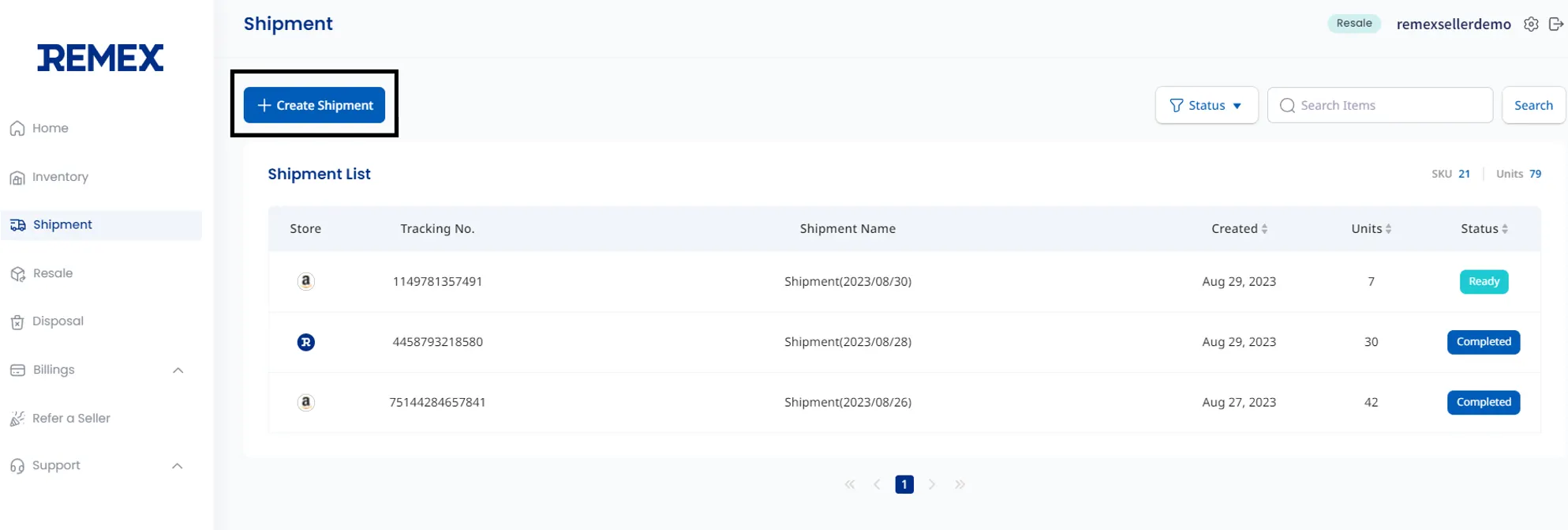
→ Click on the +Create Shipment button to initiate the Shipment creation process
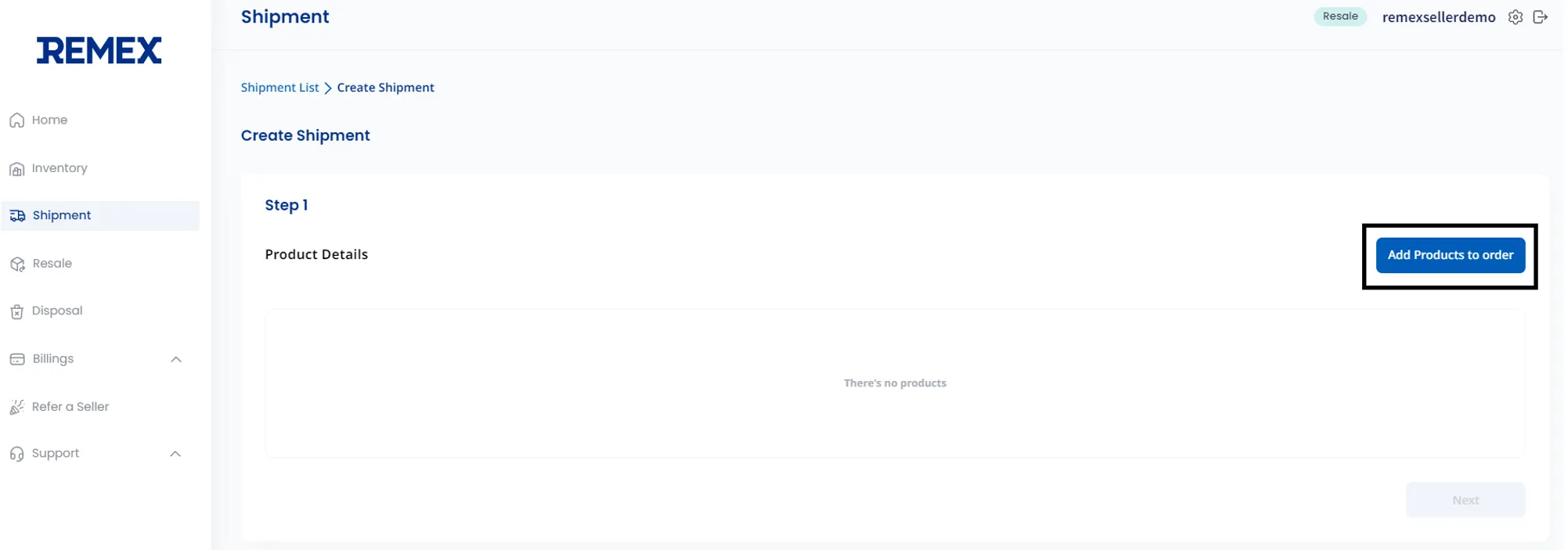
→ Step 1. Click the Add Products to order button.
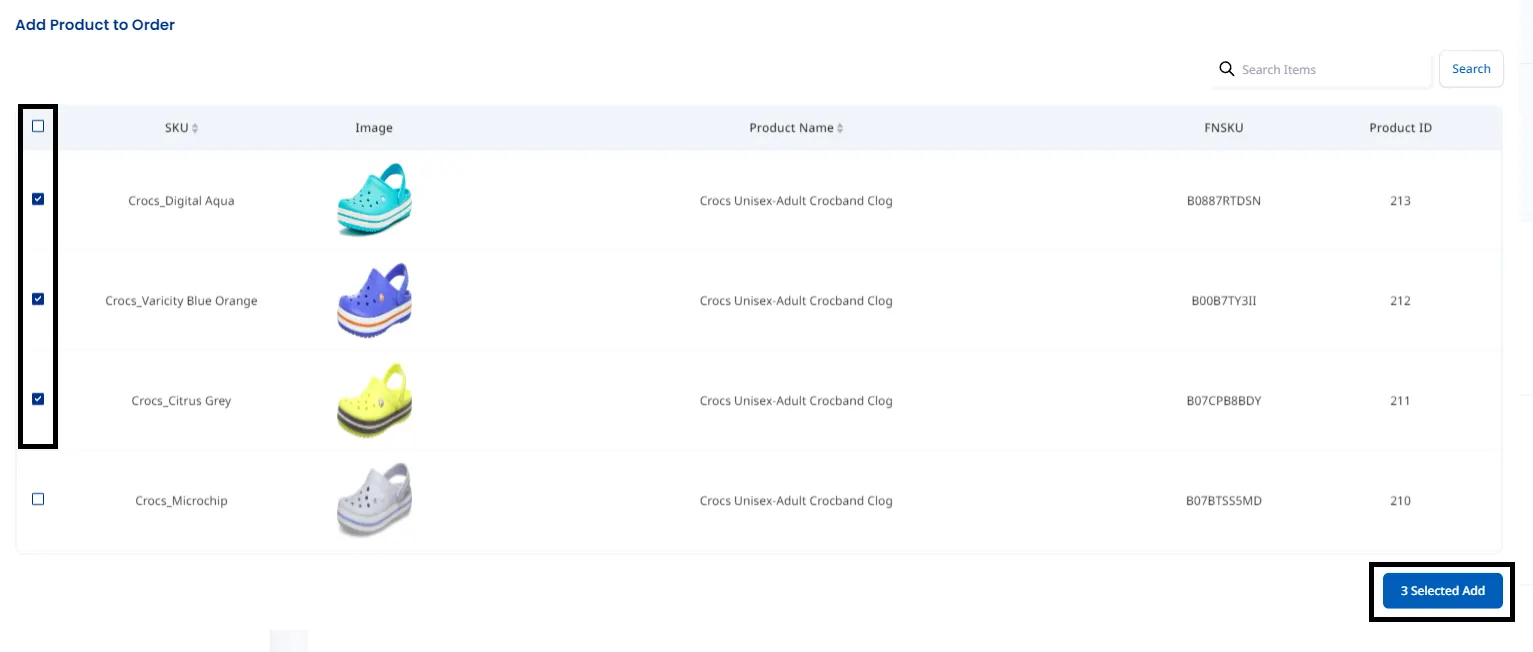
→ Step 1. Select the products included in the sent shipment (Refer to for adding products). Check the boxes next to the relevant products on the left, and then press the 3 Selected Add button at the bottom right after selecting the products
→ Step 1. ① After entering the quantity for each product in the shipment, → ② please select the Next button

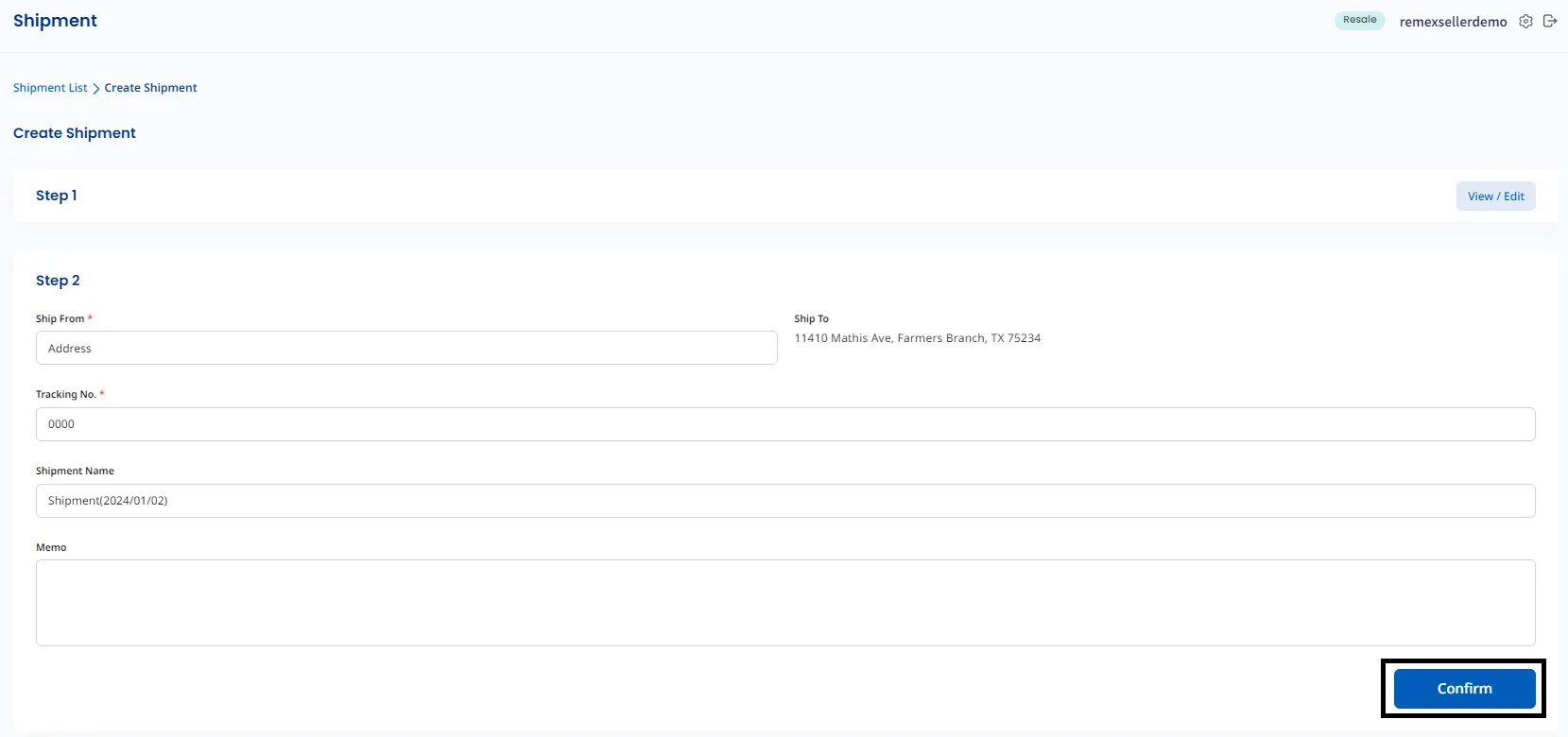
→ Step 2. After entering the Ship From*, Tracking Number*, Shipment name, and a memo to be communicated to the warehouse, please select the Confirm button to complete the Shipment Creation
→ You can check the created Shipment in the [Shipment] menu.
